IROCUBE robotic CNC machine tending: Cell and Mobile

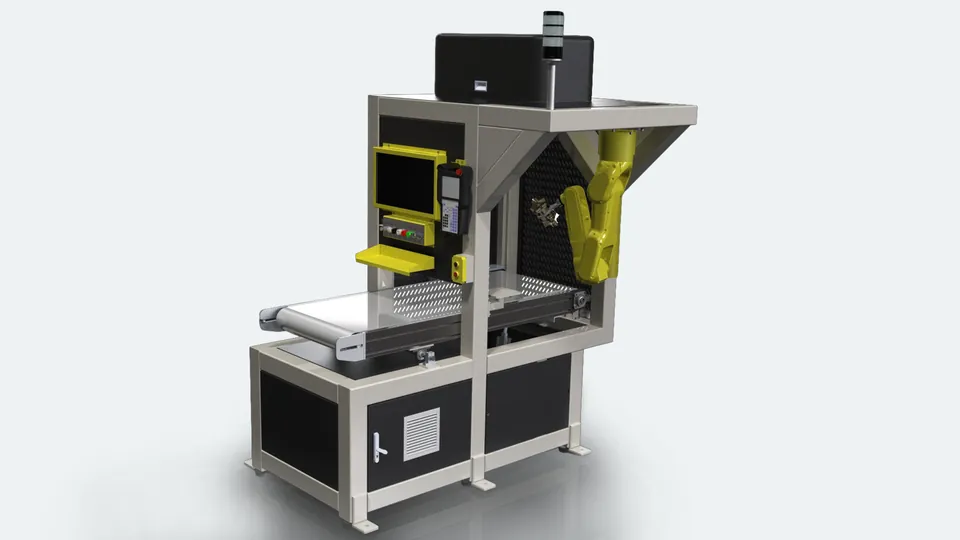
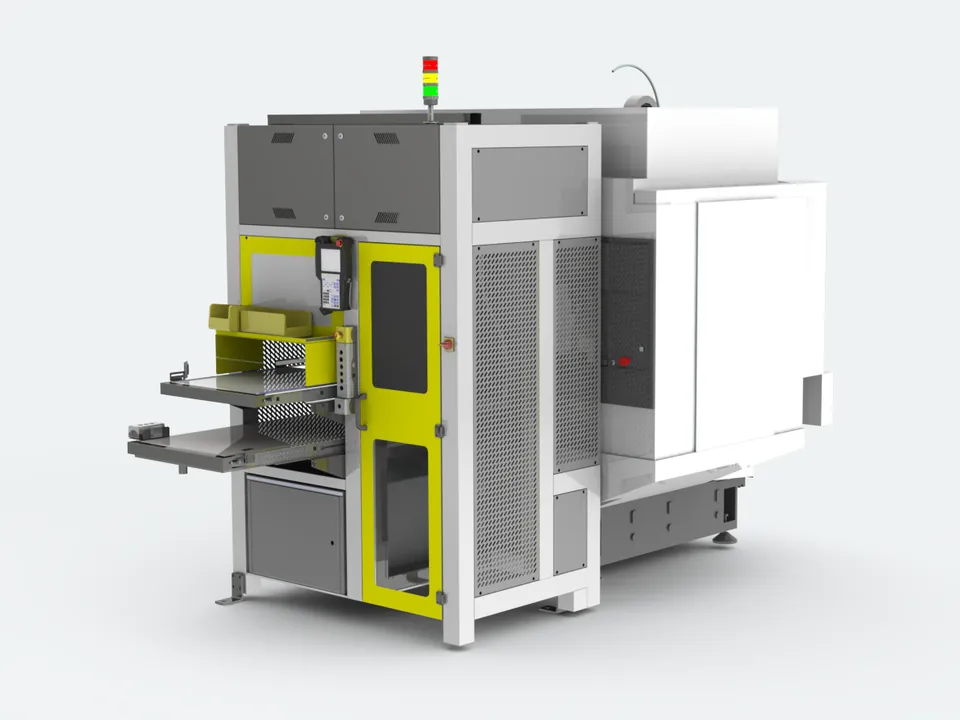
IROCUBE cell with dual gripperRaw parts queue on the loading conveyor and a camera checks each one. The robot enters with its empty gripper, takes the finished part, turns the tool 180 degrees and loads the raw part. The light tower is green while cutting and yellow while waiting.

Fixed robotic cells

IROCUBECell

A complete cell beside your CNC. Feed the conveyor, the camera locates each part, the robot loads the machine.

  • Machining centers
  • Lathes
  • No part fixtures
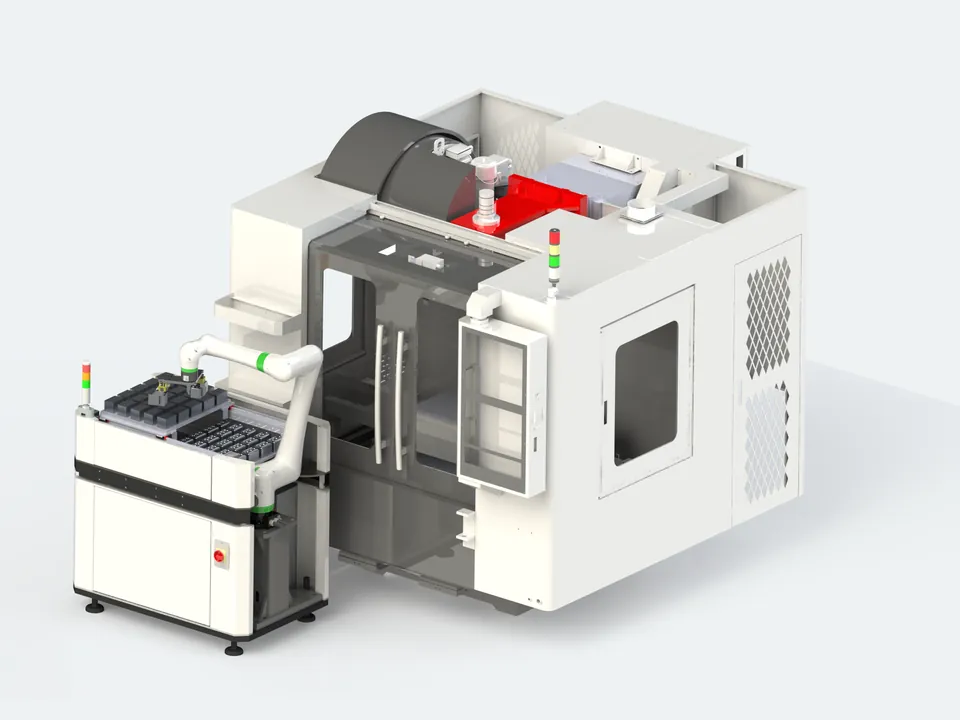
IROCUBE Mobile tending three machinesThe mobile robot checks raw parts with its wrist camera, puts three on its deck, visits three machine tools in turn, waits while each one finishes cutting, swaps parts, then returns the finished parts to the conveyor.

Cobot on an autonomous mobile robot

IROCUBEMobile

A FANUC CRX cobot on an autonomous mobile robot. It drives between stations to tend machines, carry parts or palletize.

  • Machine tending
  • Palletizing
  • Intralogistics
  • 200+Robotic projects since 2014
  • 100+IROCUBE cells delivered
  • 95%Of our cells are vision-guided
  • 500M+Parts picked with IROVISION
  • 6Countries, 15+ installation sites

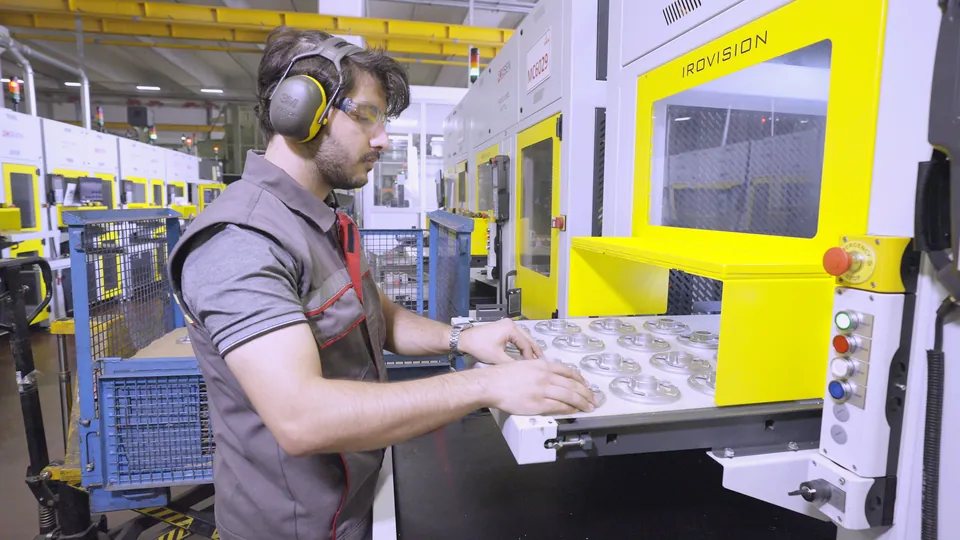
Manual machine tending

One operator. Four machines.

Manual tending asks too much of one person.

How would this look with IROCUBE?

With IROCUBE

Four machines. One operator. Time for a coffee.

An IROCUBE line: four MF7 cells tend four Robodrills; the operator tops up the belts now and then and has time for a coffee OEE 91% MF7 OEE 90% MF7 OEE 93% MF7 OEE 92% MF7

An IROCUBE MF7 in front of each machine loads and unloads it. Now and then the operator tops up a belt and takes the finished parts away. The rest of the time the cells keep running.

IROCUBE Cell family

Proven cells, configured for your parts

Compare models
IROCUBE M Series cell

M Series

For machining centers

Conveyor-fed cells for the FANUC Robodrill and other vertical machining centers. Complex geometries, many variants, no fixtures.

  • M7 7 kg · 911 mm · 1,540 × 1,750 mm
  • M10L 10 kg · 1,100 mm · 2,600 × 2,400 mm
  • M12L 12 kg · 1,441 mm · 1–2 machines
M Series in detail
IROCUBE T Series cell

T Series

For turning lathes

Loading conveyor in, rotary outfeed conveyor out. Compact lathe automation that fits the lathe working envelope.

  • T7 7 kg · 911 mm · ceiling-mounted
T Series in detail
IROCUBE Plus at a machining center, top view

Plus Series

Drawer-based compact cell

Fits one Euro-pallet footprint and moves with a pallet jack. Quick to deploy where floor space is tight.

  • Plus C10 10 kg cobot · 1,200 × 800 mm
  • Plus F10 10 kg FANUC · 1,200 × 800 mm
Plus Series in detail
IROCUBE MS60L at a transfer machine

Specialized

Engineered for one machine

Transfer machines, larger machining centers, dual-robot lines. Built on the same platform when a standard cell is not enough.

  • MS60L Transfer machine · 4.22 s · KAS Group
Discuss a special project

IROCUBE M Series, inside and out

An MF7 at work, from every side

MF7 in detail

Beyond the standard models

Your parts don't fit a standard cell?

Heavier parts, a longer reach, two machines with one robot, or extra process steps: we build IROCUBE cells to order on the same platform. Larger robots, such as a 25 kg M25, are a project, not a problem.

  • Heavier partsRobots with higher payloads, sized to your part and gripper.
  • Longer reachLarger machines, larger chucks, longer conveyors.
  • More machinesOne robot tending two machines, or dual-robot lines.
  • More process stepsWashing, deburring, measuring, leak testing, marking.

Three ways to mount the robot

The robot goes where the cycle needs it

Every IROCUBE cell has one of three robot positions. We choose it for the part, the machine and the cycle time.

01Inverted, above the machineThe robot hangs over the machine itself, right above the fixture. MS60L.
02Inverted, inside the cellThe robot hangs from the cell roof, so the floor in front of the machine stays free. M7, T7.
03Upright, inside the cellA floor-mounted robot for heavier parts and longer conveyors. M10L, M12L.

Read a model name

Every letter is a spec

M

The machine it tends

M for machining centers, T for turning lathes.

F

The robot inside

You choose the robot brand. The model stays the same, the letter changes.

10

Robot payload in kilograms

Sized to your heaviest part plus the gripper.

L

Long reach

A longer arm for larger machines and longer conveyors.

Read a Mobile model name

The base and the cobot, in one name

Drag to turn it. The dashed circle is the cobot's reach.

03

The AMR underneath

A Milvus Robotics SEIT. It finds its own way with LiDAR, no floor tape. The number is the SEIT model.

10L

The cobot on top

A FANUC CRX, safe to work next to people. The number is its payload in kilograms, L means long reach. A bigger cobot needs a bigger base.

How an IROCUBE cell runs

From a pile of parts to a full shift

No drawers to arrange and no fixtures to build for each part. A new part means selecting a new model in IROVISION. Train once, run it again whenever you need.

Why fixture-free

Why every IROCUBE has a camera and a conveyor

95% of our 200+ projects are vision-guided. Not because cameras are fashionable, but because production has changed.

  • Complex geometriesHot-forged and die-cast parts are hard to hold in a fixture.
  • More variants, lower volumesThe same product family comes in more versions, each in smaller quantities.
  • Small batches, frequent changeoversA new fixture for every part slows every changeover.
  • Shorter, less predictable contractsTooling built for one contract may never pay back.
  • No fixtures to make or store
  • Fast changeovers between variants
  • Short or long runs, from 50 to 5,000+ parts
  • Easier loading for the operator
  1. 01
    The operator places raw parts on the loading conveyor

    Feed the conveyor

    The operator feeds raw parts onto the loading conveyor. No fixtures, no precise placement: random orientation is fine.

  2. 02
    Parts found in any orientation

    IROVISION locates each part

    The camera locates every part and calculates the pick position for the robot.

  3. 03
    The robot loads a part into the machine vise

    The robot loads the machine

    It picks the part, places it in the vice or chuck and starts the cycle.

  4. 04
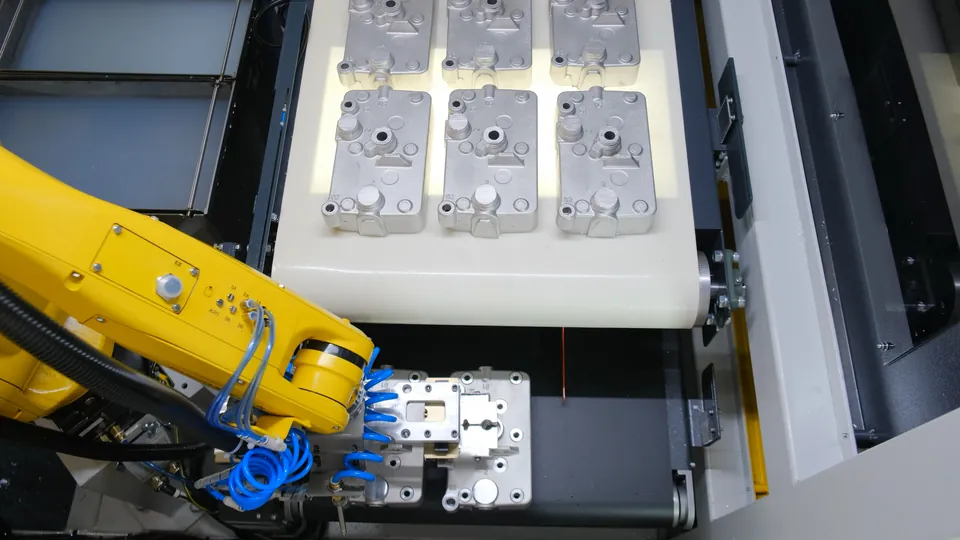
    Machined housings lined up on the conveyor, the robot unloading the next one

    Finished parts, in rows

    Machined parts go onto the unloading conveyor, ready for inspection or packing.

Which one fits your shop

Cell or Mobile?

Both automate machine tending without part fixtures. They answer different needs: a cell is built for speed at one station, Mobile is built for flexibility across your floor.

Topic IROCUBE CellSpeed at a fixed station IROCUBE MobileFlexibility across the floor
Robot Mostly industrial robots Collaborative robots (FANUC CRX series)
Speed and repeatability High speed, high repeatability Moderate speed, re-aligned at every station
Cycle times Short cycles, high volume Long cycles, where flexibility matters more than speed
Where the robot works A fixed station: it tends one or two machines, and its work is always there Drives across your layout between stations
Typical job Feeding a machining center or a lathe One job per deployment: tending several machines, carrying parts between stations, or palletizing
Layout Fixed. The cell stands at the front of the machine Changes with your production. No anchoring, fences or rails
Safety Enclosed cell with guarding, CE marked Collaborative robot with power and force limiting, safety scanners on the AMR
IROCUBE Mobile

Machines spread across your plant? One robot goes to each of them.

  1. 01Mobile drives to a machine elsewhere in your plant and docks.
  2. 02Its camera reads the calibration target on the machine.This corrects the docking position, so every move is precise to ±0.2 mm.
  3. 03The door opens. It unloads two finished parts and loads two raw ones.
  4. 04The door closes and the machine continues machining. Mobile moves on.

From the field

200+ cells in real plants

Robots loading Robodrills and Chiron machining centers, operators filling conveyors, finished parts leaving the cell. Select a photo to enlarge it.

Photo gallery

Software, built in-house

See the cell. Teach new parts.

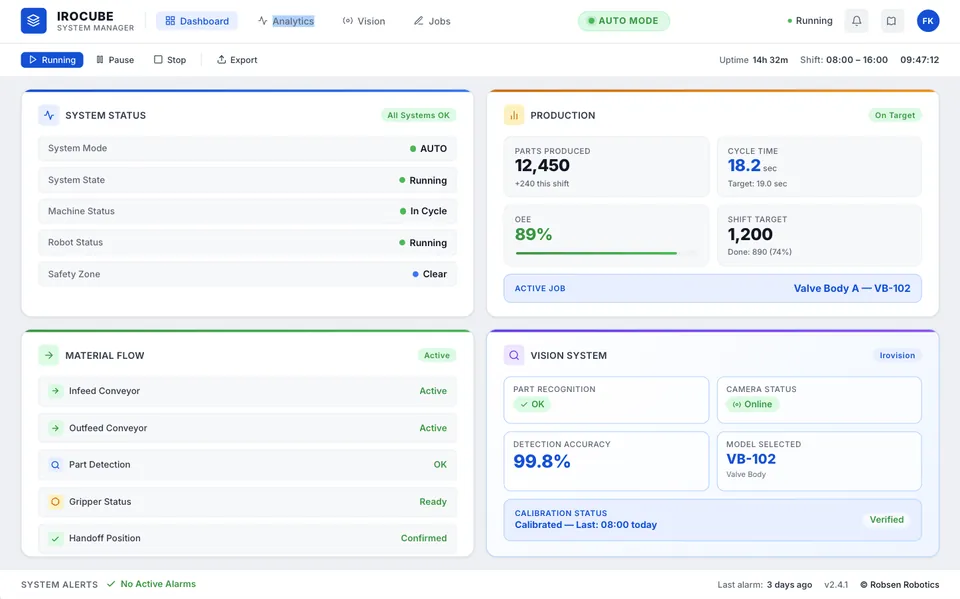
System Manager

A web-based HMI for the whole cell, on the touchscreen or any browser.

System Manager: cell status and production
  • Live cell statusEvery station on one screen.
  • Production dataOutput, OK/NOK counts and cycle times, including OEE.
  • Downtime diagnosisThe cause of a stop is on screen the moment it happens.
  • Component lifeCycles and replacements are logged for planned maintenance.

IROVISION

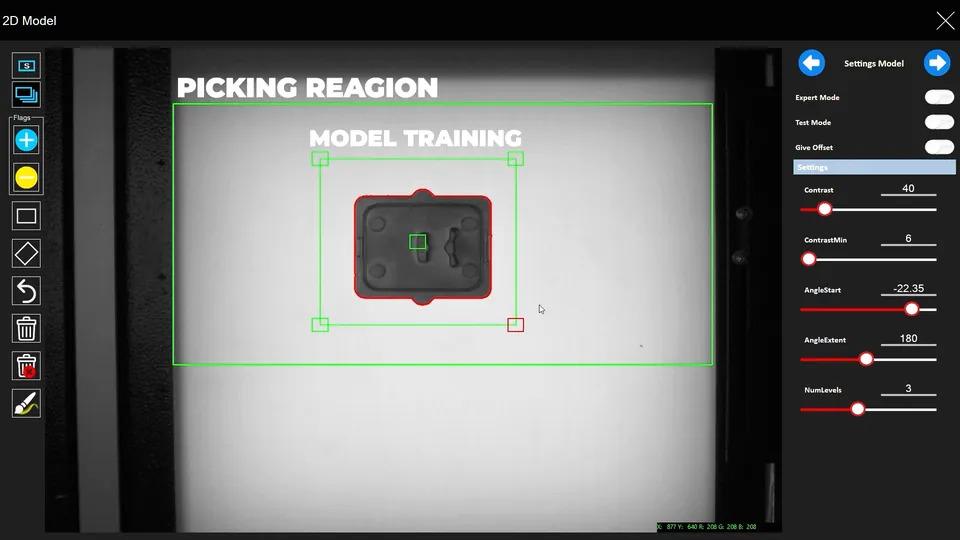
Our vision software for picking, checking and reading parts.

IROVISION: draw the picking region and train the model
  • Fixture-free pickingLocates parts in any orientation and sends pick coordinates.
  • Fast part training2D matching, or training from CAD where it applies.
  • InspectionChecks critical features and surface defects inline.
  • Code readingReads markings and codes and logs them for traceability.

In production

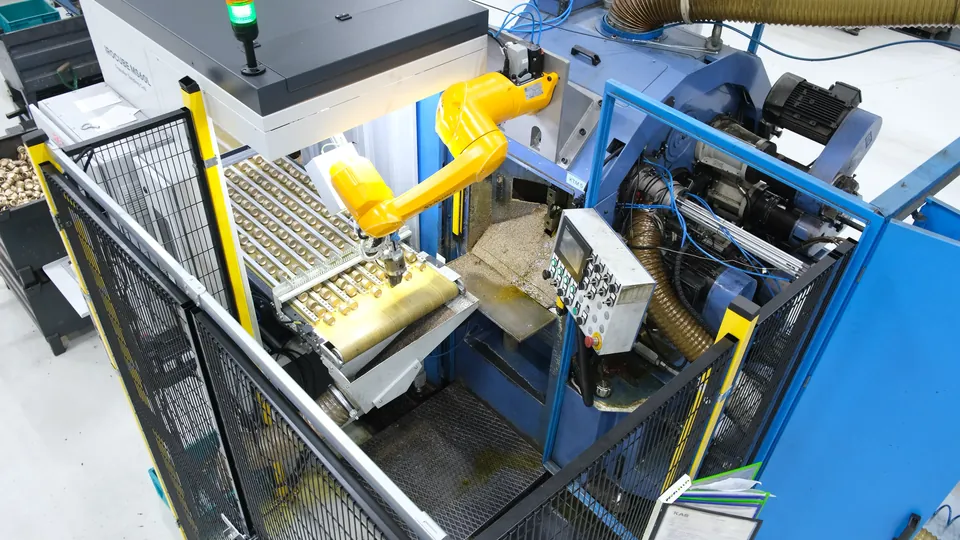
Brass parts, every four seconds

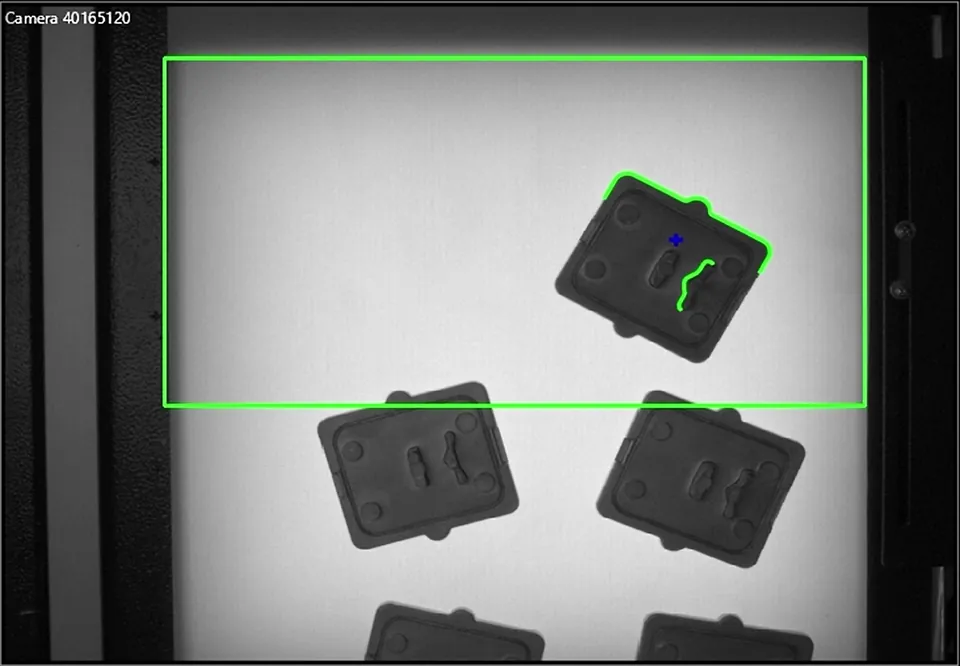
At KAS Group, a specialized IROCUBE feeds a transfer machine with brass valve parts. The camera locates each part on a backlit conveyor in about 83 milliseconds.

4.22 sCycle time
~83 msPer image
0Part fixtures

FANUC Authorized System Integrator

Years of FANUC robots tending FANUC machines

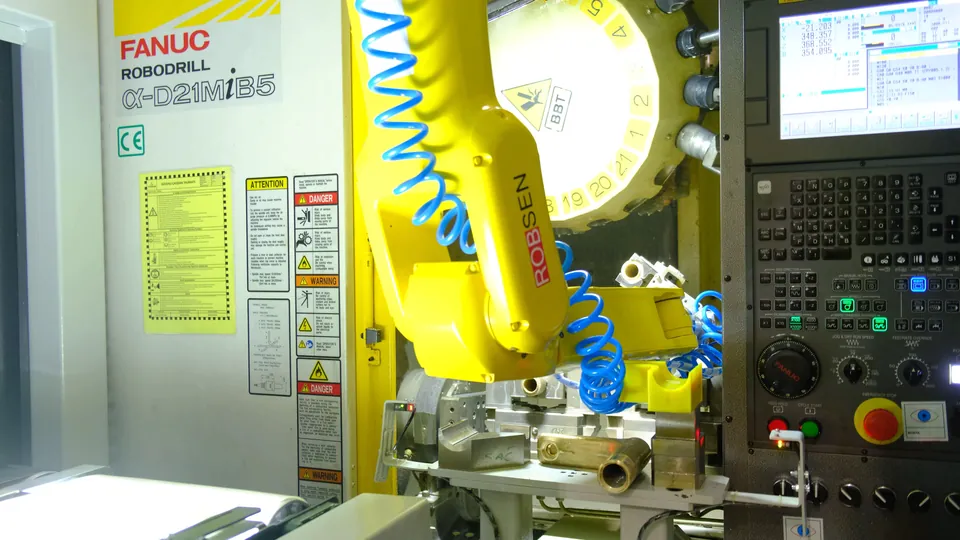
Since 2015 we have loaded parts into FANUC Robodrill machining centers with FANUC robots. In 2025 that work became an official FANUC ASI partnership. IROCUBE Mobile builds on the same partnership with FANUC CRX series cobots.

What ASI means for you

  • Founded2013
  • First robot cell2014
  • IROCUBE launchEMO 2019
  • FANUC ASI2025
  • IROCUBE Mobile with FANUC CRX cobots2026

Premium supplier network

Built from parts you can get anywhere

Every IROCUBE uses components from industry-leading brands, so spare parts and service stay available wherever your plant is.

  • FANUC
  • Stäubli
  • ABB
  • Estun
  • Schunk
  • Beckhoff
  • Schneider Electric
  • Balluff
  • wenglor
  • Euchner
  • Basler
  • Opto Engineering
  • Murrelektronik
  • Helukabel
  • Weidmüller
  • Phoenix Contact
  • SICK
  • Pilz
  • Festo
  • SMC

Request a quote

Tell us about your machine and part

Add models and options to your package, or just write to us. We reply with a concept and a quote, with no obligation.

Start a quote

Partners

Sell, install or build with IROCUBE

There are many markets we haven't reached yet. If you want to sell our cells, install them, or develop something together, let's talk.

Become a partner